Brokerage Business
11 minutes read
Oct 20, 2026
Web vs Mobile vs PWA Trading Platform: Comparing Launch Costs and Ongoing Maintenance
If you’re launching a brokerage, a responsive web platform is usually the cheapest way to give every eligible client access from day one. A PWA can make that same web experience easier to return to. Separate iOS and Android apps generally add the most release and support work, but they can be worth it when people already trade on their phones every day.
That’s the short answer. The more useful answer is that the first invoice tells you very little. Ask what each option will cost to keep accurate, secure, and usable a year after launch. A trading platform doesn’t stop needing work once it goes live.
Also, don’t confuse a mobile website with a mobile app. The former is your web platform on a phone. A PWA is an installable web experience where supported. An iOS or Android app has its own release path. Those distinctions affect your budget.
What Are You Actually Paying For?
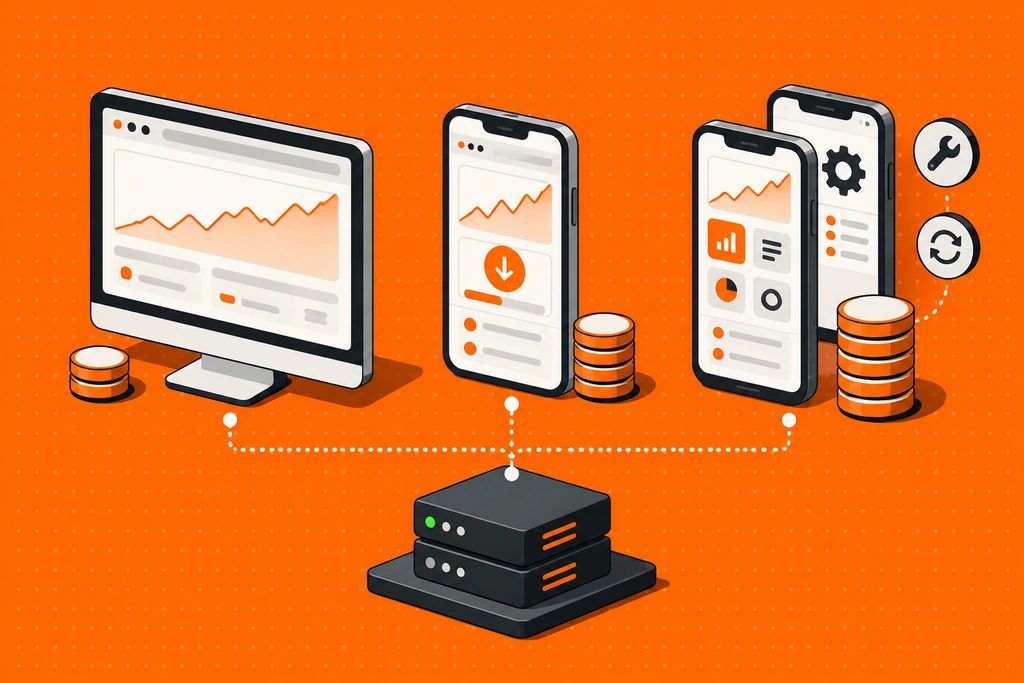
Founders often compare three quotes as if each were for a separate product. In a well-designed brokerage, much of the expensive work should be shared: accounts, balances, order handling, KYC status, payment events, risk checks, and reporting. Web, PWA, and mobile apps are different ways to reach those systems.
If a vendor quotes a lower price for the web interface, ask whether the shared services are already included. If it quotes a low price for a mobile app, ask who pays for the client portal, backend changes, testing, and app-store work. Neither number means much without a scope.
| Cost or Task | Responsive Web | PWA | iOS and Android Apps |
|---|---|---|---|
| Relative launch effort | Usually the lowest if one responsive interface serves desktop and phone. | Usually an addition to a working web platform, not a separate build from zero. | Usually the highest channel-specific effort because two stores and device ecosystems need attention. |
| Initial work | Trading screens, responsive layouts, browser testing, and integration with brokerage systems. | Web foundation plus install behavior, icons, service-worker work where used, and device testing. | App configuration or development, device-specific UX, store setup, compliance materials, and release testing. |
| How updates reach clients | Usually deployed centrally, with browser regression checks. | Mostly through the web release, but installed and cached versions need extra testing. | Through app releases and store processes; some clients will stay on older versions. |
| Recurring work | Browser compatibility, accessibility, security, performance, and payment-flow checks. | Web work plus install, cache, notification, and device-behavior checks. | OS compatibility, SDK updates, device QA, store listings, release coordination, and support across versions. |
| What a quote may leave out | Shared backend, KYC, payments, risk, and hosting. | All of the web costs, plus any custom install or push requirements. | Store account ownership, policy review, ongoing releases, and separate app support. |
This isn’t a price list or a ranking of product quality. It is a map of the work you need to price. A strong web platform can cost more than a thin app. A white label package can shift much of the build and maintenance work to a provider, but your team still owns product decisions, client communication, and the operating obligations in your market.
Why Web Usually Costs Less to Launch
A client can open a link from an ad, comparison page, or message and start the account journey. There is no app install between interest and registration. One web release can serve laptop and phone users, provided the phone experience was designed properly.
That last condition matters. A desktop chart squeezed into a small screen is not a mobile strategy. Sign-up fields, document upload, deposit methods, the order ticket, and withdrawal status all need to work on an ordinary phone. If they don’t, your apparent savings move into support tickets and lost funded clients.
For a new broker buying traffic, I’d usually put the first budget into that complete journey. A better payment flow may do more for the business than a separate app. The client who can’t fund an account through a familiar local method won’t care how many platforms you have. That is why local payment methods belong in the platform budget, not just the payments budget.
Web is not maintenance-free. Browser changes can affect login, charts, uploads, and payment redirects. A trading UI also needs testing after changes to prices, margins, order confirmation, and account data. The advantage is simpler distribution, not an exemption from quality control.
Does a PWA Save the Cost of Mobile Apps?
Sometimes. A PWA can give returning clients a home-screen icon and a more app-like window while reusing much of the web product. That can be attractive when clients mostly need quick access to balances, positions, charts, and account tasks.
But a PWA isn’t a free mobile app. You still need to design the phone experience, configure installation, test sessions and caches, and check how it behaves on the devices your clients actually use. Google’s PWA installation guidance makes the limitation clear: installation behavior varies by browser and operating system. On iPhone and iPad, adding a web app to the Home Screen is a different journey from installing a store app.
For a brokerage, cached screens are a particular risk. A stale position or price must never look live. And a tap on an order button while offline must not look like a confirmed trade. A PWA can help people get back into the product, but real orders still depend on a live connection and a clear server-confirmed state.
I’d consider a PWA when clients are returning often but you haven’t yet proved that separate apps would add enough value. Don’t judge it by install count alone. Look at verified clients who use it, how often they return, and whether it reduces friction without increasing failed-session or support rates.
Why Native Apps Carry a Longer Maintenance Tail
The attraction is easy to understand. For people who check positions many times a day, a dedicated app can become the easiest way to reach their account. You can design around phone use from the start. That may be worth the extra work for an existing trading audience or a brokerage whose clients are mostly mobile.
The work doesn’t end with a store listing. You need supported device and OS versions, a release process, testing for old and new app versions, incident handling, updated disclosures, and someone who can answer support questions about the exact build a client has installed.
Store eligibility is part of the launch plan, not an administrative detail to handle at the end. Apple’s App Review Guidelines say apps used for financial trading should be submitted by the financial institution providing the service and must have the necessary permissions where they are offered. Google Play also requires a Financial features declaration. Check the current rules for your exact instruments, entity, and markets before you promise an app launch date. A browser route doesn’t remove the brokerage’s underlying legal obligations.
Even when a white label provider maintains the app code, get a plain answer to four questions: who owns the store accounts, who submits releases, who updates screenshots and policy information, and who investigates a problem that appears only on one OS version? Those are operating costs, whoever writes the code.
How to Compare First-Year Cost Without Fooling Yourself
I would ask each provider for a 12-month cost view, not just an implementation fee. Use the same scope for every quote. If one offer includes CRM, payments, and support tooling while another is only a trading front end, their monthly prices are not comparable.
Start with this simple formula:
First-year platform cost = setup and branding + 12 months of recurring fees + channel-specific releases and testing + agreed changes + your internal operating time.
Then price what sits outside the platform: payment processing, KYC vendors, liquidity, compliance, client support, acquisition, and the people who own those processes. Buying brokerage software does not automatically launch the business around it. That distinction is easy to miss in a software-versus-brokerage-launch comparison.
Here is a hypothetical decision. Assume adding native apps to an otherwise usable web launch costs an extra $30,000 upfront and $3,000 a month in releases, testing, and support. That is $66,000 in year one. These are made-up planning inputs, not market benchmarks or FintechFuel prices.
| Illustrative Question | Calculation | What It Tells You |
|---|---|---|
| Extra first-year app spend | $30,000 + (12 x $3,000) = $66,000 | The incremental commitment over the existing web plan. |
| Extra retained funded clients needed if net contribution is $150 each | $66,000 / $150 = 440 clients | A useful hurdle to test, not a forecast. |
| Extra retained funded clients needed if net contribution is $300 each | $66,000 / $300 = 220 clients | Better cohort economics make the app easier to justify. |
Use incremental clients and net contribution after variable costs, not gross deposits or downloads. If the app merely moves existing web traders to a new screen, it may still improve retention or service. But don’t count every app user as new revenue. And if client contribution takes several months to earn, the cash-flow timing matters too.
This is where the numbers become useful. You don’t need to pretend to know an industry-wide app ROI. You need to know what would have to change in your client base for the extra channel to pay for itself.
How many extra clients clear the app hurdle?
Use the extra first-year spend to test what the app would need to add.
extra retained funded clients
Clients who simply move from web to app do not reduce this hurdle.
Three Founders, Three Sensible Launch Plans
A New Broker Starting With Affiliate Traffic
People arrive from links, mostly on phones, and have not yet decided whether they trust the broker. I’d launch a strong responsive web journey first. Test KYC, the first payment attempt, order confirmation, and withdrawal information before paying for a separate app. Add a PWA if returning clients want faster access. Don’t make the first-time visitor install anything before they can evaluate the service.
A Trading Academy With Active Members
Students already use a branded mobile community product and ask to check positions during the day. Here, I’d plan mobile apps earlier, perhaps at the same time as web. Still, I’d test whether academy members can complete onboarding and deposits in both places. Familiarity with the brand doesn’t prove the payment and verification journey works.
An Established Broker Replacing Old Software
This team already has accounts, support, payments, and a large mobile user base. Launching web alone could feel like a downgrade, even if it is cheaper. The better plan may be a coordinated web and app migration, with a PWA available for clients who prefer an installable web route. The expensive part is keeping account states and order history consistent during the move.
None of these are claimed client cases or performance results. They are examples of how audience behavior changes the cost decision.
The Part Three-Platform Quotes Often Hide
Three interfaces are only useful if they show one account reality. A trader deposits on the web, opens the mobile app, and expects the balance to be there. They place a trade on a laptop, then check the position on a phone. Support needs to see the same payment and order states the client sees.
If web, PWA, and apps each keep their own version of client status, the real cost is reconciliation and mistakes. A connected brokerage CRM should let support, payments, and account teams follow the same client journey across channels. That matters more than having identical-looking screens.
Ask the vendor to demonstrate a channel switch, not three isolated demos. Have a test client start KYC on the web, finish on mobile, deposit, place a trade, and contact support. Then repeat a failed payment and a rejected order. The second run will tell you more about maintenance burden than the polished first run.
What to Get in Writing Before You Choose
- Included channels: Is mobile web included? Are iOS and Android apps included? Is the PWA standard, optional, or custom?
- One account system: Which balances, orders, payment states, and documents stay synchronized across channels?
- Release ownership: Who maintains code, submits apps, owns store accounts, and handles emergency fixes?
- Included maintenance: Which OS and browser updates, security fixes, and compatibility tests are covered?
- Changes and branding: Which custom requests cost extra, and how long do they take to release on each channel?
- Market eligibility: Which instruments, payment methods, and app distribution routes are available in the countries you plan to serve?
- Exit and continuity: What happens to app listings, client access, and data if you change providers?
That checklist is less exciting than a demo. It is also where a low setup quote can turn into an expensive year.
So Should You Offer All Three?
If your clients use different devices and you can support the releases, yes, offering web, mobile apps, and a PWA can cover more of their day. The first visit may happen in a browser. An active trader may prefer an app. Someone who wants an installed shortcut without another store download may choose the PWA. That is a practical coverage argument, not a promise that every extra platform creates extra clients.
For a first launch, you can still stage the rollout. Get the account and payment journey working, then add the channels your clients actually use. The important thing is to choose infrastructure that won’t force you to rebuild the business every time you add another screen.
With FintechFuel’s white label brokerage solution, you don’t have to assemble three unrelated trading products. FintechFuel offers browser trading and iOS and Android apps, with a PWA available on request. That lets a broker plan for web, mobile, and installable web access on a connected platform. Confirm which channels, branding work, store responsibilities, and PWA features are included in your agreement. You still own the brokerage decisions around clients, payments, compliance, and support.
FAQ
4

Written by Ivan Bogatyrev
Business Development at FintechFuel
Writing about the exciting worlds of iGaming and the brokerage business, breaking down the latest trends and insights. Making complex topics easy to understand, helping readers stay informed and ahead of the curve.
More by authorRead more
Brokerage Business
11 minutes read
Oct 20, 2026
Compare the launch and ongoing costs of web, PWA, and mobile trading platforms. See what each channel needs, how to budget for year one, and when all three make sense.

Brokerage Business
12 minutes read
Oct 5, 2026
A practical guide for trading creators and academy owners considering a white label brokerage. Compare affiliate income, launch duties, audience trust, and first-cohort economics.